How to Make a Saul Goodman Business Card
You can make a Saul Goodman business card in your browser in six steps: start from the classic layout, type your name and title, add a photo, edit the phone number, export the PNG and print it. Editing and previewing are free and need no account.
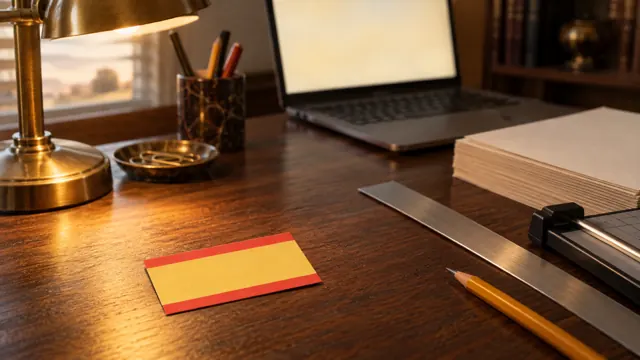
Six steps to your own Saul Goodman card
The whole process happens in one browser tab, and each step links to the part of the editor it uses.
-
Start from the classic layout
The Classic Saul template is a gold card with red bands at the top and bottom, a script headline, a scales icon and room for a photo on the right. Opening it loads those colors and fonts into the editor.
Open the Classic Saul template -
Replace the name and title
Type your own name where SAUL GOODMAN stands and your own job title where ATTORNEY AT LAW stands. Every text line on the card can be rewritten or cleared.
Edit the name and title -
Add your photo
Upload a JPG, PNG, WebP or GIF and use the photo position and size controls to place your face beside the text. Photos are processed in your browser and are not uploaded to our servers.
Upload your photo -
Change the phone number and call to action
Swap the phone number and the CALL SAUL NOW! line for your own details, then adjust fonts, colors and shadow until everything reads clearly.
Edit the contact details -
Check both sides and export the PNG
Preview the front and the back, then export a PNG at 6400×3600 px, a 16:9 image eight times the size of the on-screen preview. For a double-sided card, export the front and the back as separate files. Editing and previewing are free, and the watermark-free export is the paid step.
Open the generator -
Print the card
Print the PNG at home or take it to a print shop. A standard US business card measures 3.5 × 2 inches, so ask the shop to confirm trim and safe areas, and choose a 300 to 350 g cardstock.
Check the print size and trim details
What you need before you start
The inputs for the card are a name, a job title, a phone number and an optional photo.
SaulCard is a free, fan-made editor that runs in current versions of Chrome, Firefox, Safari and Edge, with no account and nothing to install. The layout adapts to phones and tablets, and your card settings stay in your browser's local storage.
Tips for a card that reads well
A readable card is one where the name, the phone number and the photo each have their own space.
- Keep your name in the largest, highest-contrast text on the card.
- Leave the photo area free of text so your face stays clear.
- Limit the card to two font families at most.
- Check the front and the back side by side before you export.
From PNG to paper
The exported PNG is a 6400×3600 px image at 16:9, and it is the file you send to the printer.
A standard US business card is 3.5 × 2 inches (7:4), a slightly different shape from 16:9, so the print shop may trim a little from the sides or scale the design. Ask them to confirm trim and safe areas before the final run.
Making a Saul Goodman business card: FAQ
Can I make a Saul Goodman business card for free?
Yes. Designing is free: every template, font, color, photo and text line is open in the editor with a live preview, and no account is needed. Exporting a watermark-free HD PNG is the paid step.
Do I need Photoshop or any design software?
No. The editor runs in your browser, so you can pick a layout, edit the text and photo, and export a PNG without installing anything.
Can I use my own photo on the card?
Yes. Upload a JPG, PNG, WebP or GIF and position it in the photo area. The photo is processed in your browser and the generator does not upload it to our servers.
Can I change the phone number on the card?
Yes. The phone number, the call-to-action line and every other text line can be rewritten or cleared, so the card carries your own details.
How do I print the card I made?
Print the exported PNG at home or take it to a print shop. A standard US card is 3.5 × 2 inches, so ask the shop to confirm trim and safe areas. For a double-sided card, export the front and the back as separate files.
Sources
The standard US business card size on this page comes from this printer guide.
- MOO: Standard size business cards — Lists the US standard card trim of 3.50 × 2.0 inches for its products.
| Item | Value | Source |
|---|---|---|
| US standard business card | 3.5 × 2 in | Source 1 |
| SaulCard preview | 800 × 450 px | This tool |
| SaulCard export | 6400 × 3600 px PNG, 16:9 | This tool |
Confirm trim and safe areas with your print shop before the final run.